If you’ve ever stared up at a commercial jet gliding through a cloud bank and wondered what keeps it humming, stable, and able to connect every critical system mid-flight, the answer is far more intricate than a single wire can explain. As a supplier of aerospace cables, I work side-by-side with maintenance teams, airframers, and engineers on a daily basis, and one question comes up more than any other: What do the actual wiring diagrams look like for a specific aircraft model? Today, I’m pulling back the curtain on this part of our work, using the Boeing 787 Dreamliner—one of the most technologically advanced aircraft in operation—as our case study, and breaking down why these diagrams aren’t just blueprints, but lifelines that make flight safe and reliable. Aerospace Cables
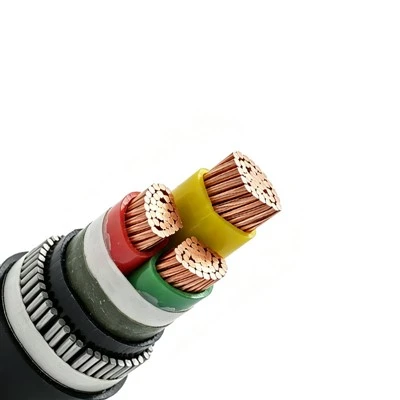
First, let’s ground this in what makes the 787’s wiring unique. Unlike older jet models that relied heavily on metal pipes for fuel and hydraulic lines, the 787 switched to a carbon fiber airframe and built its systems around electrical power. That shift doubled the amount of wiring on the plane, bringing the total to more than 650 miles of aerospace-grade cables—enough to stretch from New York City to Boston. Every single one of those wires is mapped in a wiring diagram, and none of them are standard off-the-shelf parts. Aerospace cables for the 787 have to withstand extreme conditions: temperatures ranging from -65°F at high altitude to 180°F in the rear cargo hold, constant vibration from jet engines, and exposure to jet fuel, hydraulic fluid, and even lightning. The diagrams don’t just list where each wire goes—they note the cable’s gauge, insulation type, shielding (to block electromagnetic interference), and routing path, so technicians never have to guess which wire is which during maintenance or repairs.
Let’s start with the core architecture of the 787’s wiring diagrams, because they’re organized differently than the diagrams you might find for a car or a small aircraft. Most people don’t realize that aerospace wiring diagrams are split into two main categories: system-level diagrams and installation-level diagrams. For the 787, the Federal Aviation Administration (FAA) requires both to be part of the aircraft’s technical documentation, because each serves a distinct purpose. System-level diagrams focus on how individual components connect: for example, they’ll show that the autopilot’s flight control computer sends a signal to the aileron actuator, routed through a dedicated shielded harness. These diagrams use standardized symbols—circles for computers, squares for actuators, dashed lines for shielded cables, solid lines for power lines—that every aerospace technician is trained to read, so no matter where in the world a plane is serviced, the tech can follow the same logic.
Installation-level diagrams, by contrast, are the detailed blueprints that show exactly where a harness runs through the airframe. For the 787, these are critical because the carbon fiber structure has tight, unique routing paths—there are no metal conduits to thread wires through like in older aluminum jets. A single installation diagram might run 50 pages long, mapping every twist and turn of a harness that runs from the cockpit avionics bay, through the forward wing root, to the auxiliary power unit (APU) in the tail. What makes these diagrams specific to the 787 is that they account for the plane’s distributed power system: instead of a single central power plant, the 787 has four power distribution units (PDUs) across the airframe, each connected to a network of cables that feed systems from the cabin lighting to the engine fuel controls.
If you’ve ever flown on a 787, the extra-wide windows and smooth cabin pressure are possible because of the electrical system tied to its wiring. Let’s take a real-world example to make this concrete: the wiring for the 787’s cabin environmental control system (ECS). On a Boeing 737, the ECS is controlled by hydraulic and mechanical systems, but the 787 uses electrical ECS packs that rely on a dedicated network of cables. The wiring diagram for this system is split into three parts: first, the power supply diagram, which shows that the ECS packs draw power from PDU 1 and PDU 2, with redundant wiring so if one PDU fails, the other takes over. Second, the sensor connection diagram, which maps 12 temperature sensors in the cabin and 8 in the air conditioning ducts, each wired with twisted-pair cables to prevent signal interference. Third, the control interface diagram, which links the cockpit’s ECS controls to the cabin’s display panel, so pilots and flight attendants can adjust temperature for different zones.
What I see day-to-day as a cable supplier is that most people don’t realize how much these diagrams evolve after a plane enters service. The 787 was certified in 2011, and in the 12 years since, there have been more than 400 engineering orders (EOs) updating its wiring systems—mostly to improve reliability, reduce weight, or add new passenger amenities. For example, when airlines wanted to add in-flight Wi-Fi that supports streaming, Boeing had to revise the wiring diagrams for the avionics bay to include high-speed data cables that are resistant to radio frequency interference (RFI). Those revisions aren’t just minor tweaks: each EO requires testing, FAA approval, and updates to every wiring diagram in the plane’s technical library. That’s why having accurate, up-to-date diagrams is non-negotiable—skipping a revision or mislabeling a wire could lead to a fault that puts a flight at risk.
Let’s talk about a common misconception I hear from new maintenance technicians: that wiring diagrams are static documents. In reality, for the 787, they’re living databases, updated in real time by airlines and maintenance providers using specialized software. Most large operators use a tool called Boeing Maintenance Performance Toolbox (MPT), which hosts interactive wiring diagrams that let technicians click on a wire to see its part number, installation date, and past maintenance history. When a technician replaces a damaged cable, they log the change in MPT, which automatically updates the diagram for that aircraft’s serial number. That level of specificity is why the 787 has one of the lowest unplanned maintenance rates of any wide-body jet—technicians don’t have to cross-reference generic diagrams from other planes or guess at a harness’s routing; they have the exact diagram for their specific aircraft.
As a supplier of aerospace cables, our work ties directly to these diagrams. We don’t just sell wires—we build cables and harnesses that match the exact specifications in those diagrams, down to the last detail. For example, when an airline orders a replacement harness for the 787’s wing anti-ice system, we don’t pull a generic anti-ice harness from a shelf. We first request the aircraft’s specific wiring diagram, which tells us the harness’s length, the type of insulation (it’s PTFE, rated for 200°F, to withstand ice buildup), the number of conductors, and whether it needs to be shielded. We then test every harness before it ships to make sure it matches the diagram’s specs, because even a 1-inch difference in length or a 10-gauge wire instead of 12 could cause it to fail in flight.
Another key point about the 787’s wiring diagrams is their focus on redundancy, which is the backbone of aerospace safety. Every critical system has at least two separate wiring paths, mapped in the diagrams, so if one wire is damaged, the other takes over. For example, the 787’s flight control computers (FCCs) are connected to each other via four independent data buses, each with its own dedicated cables, so a single fault in one bus won’t disable the autopilot or flight controls. The wiring diagram for these buses uses color-coded lines—red for primary power, blue for data, green for ground—to make it easy for technicians to trace a fault quickly, a skill that’s critical when a plane is on the ground and needs to be turned around in 45 minutes for the next flight.
I’ve been in this industry for 18 years, and I’ve seen firsthand what happens when wiring diagrams are incorrect or not updated. Early in my career, I worked with a regional airline that was maintaining a Boeing 757 (not a 787, but a similar lesson applies) where a technician mislabeled a power wire because the paper diagram was outdated. That mistake caused a system fault that delayed a flight for three hours, cost the airline thousands of dollars in passenger refunds, and almost led to the plane being grounded for non-compliance with FAA rules. For the 787, because its systems are so dependent on electrical power, a similar mistake could be catastrophic. That’s why we work closely with our clients to make sure every cable we supply is paired with the latest diagram revisions, and we provide training to maintenance teams on how to use the interactive diagrams specific to their 787 fleet.
Now, if you’re an airline maintenance manager, a MRO (maintenance, repair, and overhaul) provider, or an engineer working on a 787 modification project, you might be wondering: how do these diagrams impact my day-to-day work? The answer is that they’re the foundation of everything you do. When you’re troubleshooting a cabin lighting fault, the diagram tells you whether the problem is a bad sensor, a broken wire, or a faulty switch. When you’re updating the in-flight entertainment system, the diagram shows you where to run new data cables without interfering with existing systems. When you’re replacing a damaged wing harness, the diagram ensures the new harness fits perfectly and meets all FAA requirements for vibration resistance and shielding.
One thing I’m proud of as a cable supplier is that we don’t just sell parts—we support our clients with the diagram knowledge they need to use those parts correctly. We keep a team of specialized technicians on staff who are trained to read 787 wiring diagrams, so when a client contacts us asking about a specific wire or harness, we can pull up the relevant diagram details and confirm that the part we’re supplying matches exactly. This is a level of service that generic aerospace cable suppliers can’t offer, because they don’t invest in the expertise to work with model-specific diagrams like those for the 787.
Let’s wrap this up by circling back to why this matters beyond technical specs. Every time a 787 takes off, lands, and arrives safely, thousands of components work in sync—including those 650 miles of wiring mapped in detailed diagrams. Those diagrams aren’t just blueprints; they’re a guarantee that every wire is in the right place, every connection is reliable, and every system can be fixed quickly if something goes wrong. As a supplier, our role is to make sure the cables we provide fit exactly what those diagrams call for, so that safety isn’t compromised for cost or speed.

If you’re working on a 787 fleet, whether you need replacement harnesses, custom cable assemblies for modifications, or support interpreting wiring diagrams, our team is here to help. We partner with MROs and airlines to ensure every part we supply meets FAA standards and aligns with the latest technical documentation for your specific aircraft.
Reeling Cables References
- Federal Aviation Administration. (2015). Aerospace Wiring System Certification Requirements. Washington, D.C.: FAA Aircraft Certification Service.
- Boeing. (2022). 787 Dreamliner Maintenance Manual: Wiring Diagrams and System Architecture. Chicago, IL: Boeing Commercial Airplanes.
- Aerospace Industries Association. (2021). Best Practices for Wiring Diagram Management in Commercial Aircraft. Arlington, VA: AIA.
Huayu Cable Group Co., Ltd.
As one of the most professional aerospace cables manufacturers and suppliers in China, we are committed to providing high quality custom service and OEM&ODM service to global clients. Please rest assured to wholesale bulk durable aerospace cables made in China here from our factory.
Address: High-tech industrial Zone, Wuwei, Wuhu City, Anhui, China
E-mail: sales@huayucablegroup.com
WebSite: https://www.huayucablegroup.com/
