Let’s talk about something I get asked at least twice a week as an indoor fixed LED display supplier: What exactly is the resolution of an indoor fixed LED display? I’ve seen people mix this up all the time—some think it’s just how many tiny lights are crammed on a screen, others confuse it with a TV’s pixel count. Today, I want to break this down like I would for a client walking into my showroom, no jargon, no complicated charts, just real stuff that matters if you’re shopping for a permanent indoor display, whether it’s for a corporate lobby, a church, a retail store, or a museum. Indoor Fixed LED Display
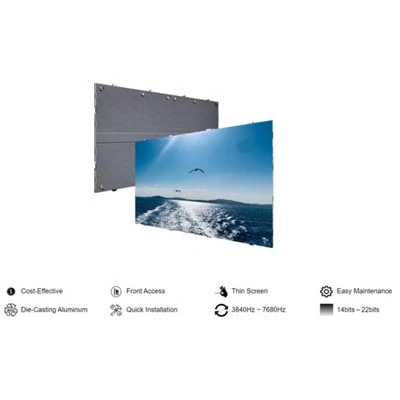
First, let’s get one basic definition straight that most guides skip: Resolution for indoor fixed LED displays isn’t just “number of pixels.” It’s the total count of individual LED light sources (those little diodes we call pixels, more on that in a second) arranged across the width and height of the display. But here’s the twist that makes it different from your living room TV: LED displays are designed for viewing at varying distances, so resolution ties directly to pixel pitch. Pixel pitch is the distance between the center of one LED and the next one next to it. That’s the core number every buyer should know, not just the resolution number on a spec sheet.
Let me give you a real example, something I talk about with clients all the time. A common indoor fixed LED display I supply is a 2mm pitch panel—meaning each pixel is 2 millimeters apart from the next. A standard 16:9 screen with 2mm pitch will have a resolution of 1920×1080 pixels, same as a full HD TV. But wait, hold on—if you get a 1.5mm pitch panel, that same 16:9 screen size (like a 55-inch equivalent) won’t just have better resolution, it’ll have a higher pixel count. Let’s do the math quick to make this real: A 1.5mm pitch 16:9 display that’s 3 feet wide is about 914mm wide. Divide that by 1.5mm per pixel and you get 609 pixels wide, and about 342 pixels tall—total resolution of 609×342, which is way sharper than a 2mm pitch screen of the same physical size.
Here’s where most people mess up: They see a “4K” label and assume it’s the same as a TV’s 4K resolution. A real 4K TV has 3840×2160 pixels, but an LED display’s 4K depends entirely on its pitch and size. For example, a 2.5mm pitch display that’s 8 feet wide will hit that 3840-pixel width, so it’s technically a 4K resolution screen. But if that same 8-foot wide screen uses a 3mm pitch, its width is only 305mm per pixel (wait, no, let’s fix that—3mm pitch, 8 feet is 2438.4mm, divided by 3mm is 812 pixels wide, so that’s a way lower resolution, like 812×457, which is only HD). I get so many calls from clients who see a “4K LED display” online and show up thinking it’s the same as their home TV, and that’s a huge misstep. That’s why I always tell them: Resolution is two parts—total pixel count, and how tight those pixels are (pixel pitch) for your viewing distance.
Speaking of viewing distance, that’s the most critical factor when picking resolution for an indoor fixed display, because you don’t want to pay for super-tight pixels you’ll never even see. I once had a client come to me for a lobby display at a law firm. He wanted the sharpest possible 1mm pitch screen, but when we walked the lobby, the furthest anyone would stand from the display was 15 feet. I explained that for 15 feet of viewing distance, the sweet spot is a 2mm to 2.5mm pitch. A 1mm pitch screen would look unnecessarily expensive, and when you stand back 15 feet, you can’t tell the difference between 1mm and 2mm pixels—all you’re paying for is tiny pixels you’ll never notice. That’s the kind of real-world advice I give because I’ve installed hundreds of these, not just read spec sheets.
Let’s get into the nitty-gritty of how resolution affects your daily use, because that’s what matters for your business. If your indoor fixed LED display is going to show high-detail content—like architectural blueprints, product photos for a retail store, or close-up video for a concert venue—you need higher resolution (lower pitch, smaller distance between pixels). For example, a museum exhibit that’s going to have people standing 3 to 5 feet away from the screen needs a 1.2mm or 1.5mm pitch, because people are right up close and will see blurriness if the resolution is too low. But if you’re putting a display high up on a wall in a gym, where people might be standing 20+ feet away, a 5mm pitch is totally fine—you’ll get crisp text and video without overspending.
Another thing I get asked all the time: What about virtual resolution vs. physical resolution? That’s a term I wish more suppliers would explain clearly. Physical resolution is the actual number of LED pixels on the panel—those are the tiny lights that emit light, that’s the real resolution of the display. Virtual resolution, sometimes called “up-scaled resolution,” is when the display’s controller stretches content to fit a higher pixel count than the physical pixels. It sounds good on paper, but it’s not real sharpness. If you have a physical resolution of 1920×1080, up-scaling to 4K will make text look blurry, because the display is trying to add pixels that don’t exist. I always tell clients to prioritize physical resolution, not these fancy marketing terms. A 1.2mm pitch panel with 1920×1080 physical resolution is way better than a 2mm pitch panel with a “virtual 4K” label.
Let’s also talk about resolution in the context of different indoor spaces, because that’s where the rubber meets the road. Let’s break down a few common use cases, since I’ve worked in all of them:
First, corporate lobbies. Most lobbies have viewing distances between 8 and 15 feet. That sweet spot here is 2mm to 2.5mm pitch, which gives you a physical resolution of 1920×1080 to 2560×1440 for a 5-foot wide screen. You can display company announcements, product videos, and even live event feeds, and no one standing in the lobby will see pixel gaps. If you need a larger display in a lobby, say 10 feet wide, a 2.5mm pitch will give you a resolution of about 4000×2250, which is more than enough to look sharp from the back of a long lobby.
Next, retail stores, especially those that want to showcase high-end products—like a luxury clothing boutique, a electronics store, or a car dealership. For these, you might have customers standing 5 to 10 feet away, so 1.5mm to 2mm pitch is ideal. This resolution makes product photos and videos look incredibly detailed, so when a customer is up close looking at a new laptop screen or a leather jacket, the display shows every texture, not a blurry mess. I recently installed a 1.8mm pitch display for a high-end watch boutique, and the owner told me customers keep asking if the watches on the display are actual photos or close-ups of real pieces— that’s the power of the right resolution.
Then there are spaces like churches, conference centers, and event venues that have larger screens with viewing distances between 15 and 30 feet. For these, 3mm to 4mm pitch is perfect. A 16:9 10-foot wide display at 3mm pitch has a resolution of about 3000×1688, which is sharp enough for sermons, presentation slides, or live stream feeds, and it’s way more cost-effective than a higher resolution panel. I’ve seen churches go with higher resolution here and waste thousands of dollars on pixels that no one sitting in the pews will ever see.
Now, let’s address common misconceptions that I hear all the time from first-time buyers. The first is that more pixels = better, no matter what. That’s just not true. I had a client last year who spent $20,000 more on a 1mm pitch display for a break room, where the furthest anyone would stand is 8 feet. He called me a month later complaining that the display looked the same as the $12,000 2mm pitch one he would’ve needed, and he was right. The 1mm pixels were so tiny that from 8 feet, they blended together the same as the 2mm pixels. Resolution is only useful if you can actually see the difference, so matching it to your viewing distance is key.
Another misconception is that resolution is the only thing that matters for image quality. Don’t get me wrong, it’s huge, but it’s not everything. Color accuracy, refresh rate, and brightness play a part too. For example, a low-resolution display with great color will look better than a high-resolution one that washes out colors. But resolution is the foundation—if your resolution is too low, no amount of color correction will make text or photos look sharp. I always tell clients to lock in their resolution first based on space and viewing distance, then pick the other features that fit their needs.
If you’re still confused about what resolution you need, here’s a quick cheat sheet I give to every client: Measure the average distance between where the closest viewer will stand and where the furthest viewer will stand from the display. Then:
- 3 to 8 feet: 1.2mm – 1.8mm pitch (high resolution, for close viewing)
- 8 to 15 feet: 1.8mm – 2.5mm pitch (mid-high resolution, most common for lobbies and retail)
- 15 to 30 feet: 2.5mm – 4mm pitch (lower resolution, for larger spaces)
- Over 30 feet: 4mm+ pitch, though most indoor fixed displays don’t need this; that’s more for outdoor stadiums or large event spaces.
As an indoor fixed LED display supplier, I’ve learned that the best advice I can give isn’t to sell the highest resolution display I have. It’s to sell the right resolution for your space. I’ve had clients come to me thinking they need a 1mm pitch display, only to realize they’d be wasting half their budget on pixels they’ll never use. The resolution of your indoor fixed LED display isn’t a number to impress people with—it’s a tool to make your content look as good as possible, while staying within your budget.
If you’re shopping for an indoor fixed LED display, the last thing you want is to make a mistake on resolution. Too low, and your content looks blurry and unprofessional. Too high, and you overspend for no reason. I’ve installed displays in offices, churches, retail stores, and museums, and I’ve seen both mistakes and perfect matches. That’s why I take the time to walk clients through their space, their content, and their viewing habits, not just hand them a spec sheet and a price.

If you’re ready to talk about your specific project, whether it’s a small lobby display or a large venue screen, I’d be happy to help you figure out the right resolution for your needs. Reach out to start a conversation about your indoor fixed LED display requirements.
Outdoor Fixed LED Display References:
- LED Display Technical Association. “Fundamentals of Indoor LED Display Resolution and Pixel Pitch.” LED Display Industry Standards, 2022.
- Digital Signage Today. “Choosing the Right LED Display Resolution for Your Space.” Digital Signage Trends Report, 2023.
- Society for Information Display. “Viewing Distance and Resolution Optimization for Digital Displays.” SID Technical Paper, 2021.
Shenzhen TrueColor LED Co., Ltd.
As one of the most professional indoor fixed LED display manufacturers in China, we also support customized service. We warmly welcome you to wholesale durable indoor fixed LED display for sale here from our factory. If you have any enquiry about cooperation, please feel free to email us.
Address: 3/F, Bldg A9, 10 Longyi Rd, Fuyong Sub-dist, Bao’an Dist, Shenzhen
E-mail: sales@truecolor-led.com
WebSite: https://www.truecolor-led.com/
